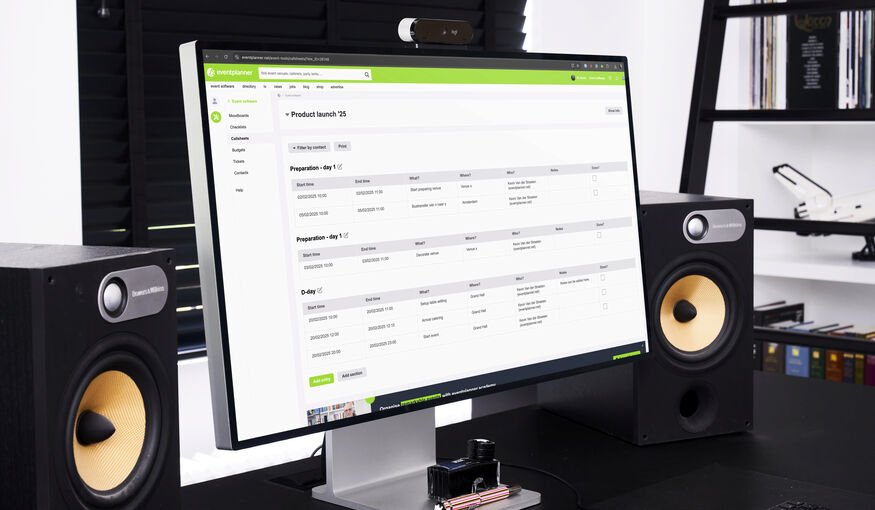
Step 1: Define the Scope and Timeline of Your Event
Start by determining the full scope of the event, not just the ‘showtime’. Include:
~Pre-event setup: Load-in, venue prep, technical rehearsals
~Main event activities: Guest arrival, sessions, entertainment, catering timings
~Post-event breakdown: Load-out, clean-up, debrief moments
Break down the event day into time blocks (e.g., by the hour or even by 5-minute intervals for complex productions). This structure will be the backbone of your call sheet.
Step 2: List Every Task and Milestone
Go through the entire event flow and list every single task that needs to happen. Think of:
~Technical setups (A/V checks, lighting, internet)
~Vendor arrivals and briefings (catering, photographers, entertainers)
~Staff call times (security, volunteers, coordinators)
~Key program moments (presentations, performances, speeches)
~Breaks, transitions, and contingency buffers
~Post-event responsibilities (tear-down, feedback collection)
A good call sheet leaves no task unassigned and no timing ambiguous.
Step 3: Assign Responsibilities (Task Owners)
For every task, assign a clear owner. This ensures accountability and reduces confusion on event day. Each task should specify:
~Person or team responsible
~Contact details (phone number is essential)
~Check-in confirmations (e.g., who signs off when task is completed)
Pro tip: Highlight key roles (like show caller, floor manager, or tech director) so everyone knows who to escalate issues to during the event.
Step 4: Include Contact Information & Emergency Details
A professional call sheet is also a contact directory. Besides task owners, make sure to list:
~All key staff and vendors with direct phone numbers
~Venue contacts (security, on-site managers)
~Emergency services or protocols (especially for large public events)
Having this info at hand reduces scrambling for phone numbers when time is
Step 5: Share and Distribute Efficiently.
Once your call sheet is complete, everyone involved must have access to the latest version. Traditionally, this meant printing copies or emailing PDFs – but these methods often lead to outdated versions floating around.
Leave a Reply